Hello, this guide assumes you've just started checking out Funky (or one of our partner servers) and you haven't made an account before. Before that, I just want to take a moment and say welcome, and thank you for joining, we're happy to have you!
Please remember to read all the text carefully, and go through step by step. There are some temporary steps that we're still adjusting since authentication servers are changing.
Account Creation for Forum and Game:
► Show Spoiler
If you look over to the left side, you will see the Register button with a small writing icon, go ahead and click that:
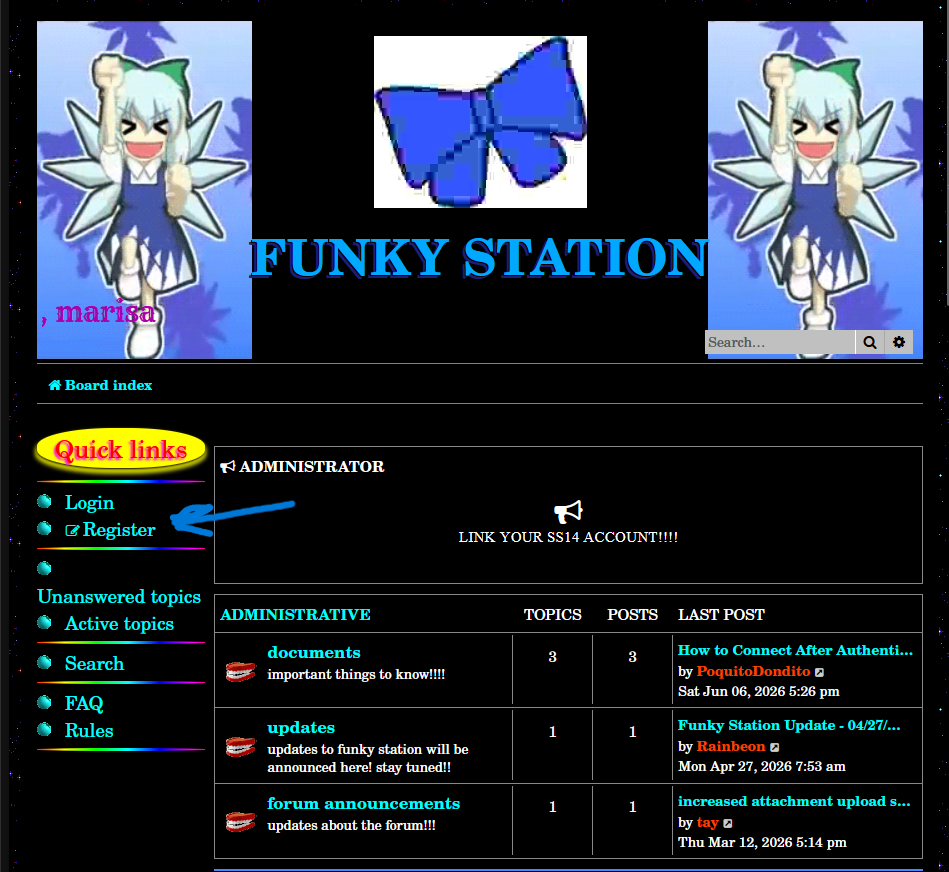
- 1
- Screenshot 2026-06-06 174626.png (307.08 KiB) Viewed 12725 times
To continue, you'll have to agree to these terms. These terms are for using the software which this forum is based on, not for Funky or the authentication servers.
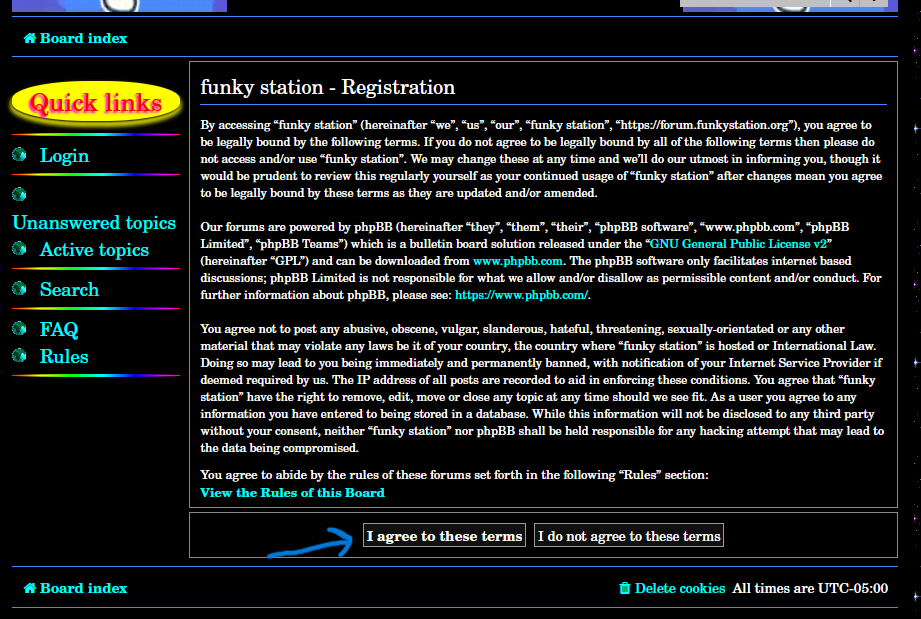
- 2
- Screenshot 2026-06-06 174653.png (163.64 KiB) Viewed 12725 times
You will be greeted with a short form to fill out (feel free to put whatever information you are comfortable including here).
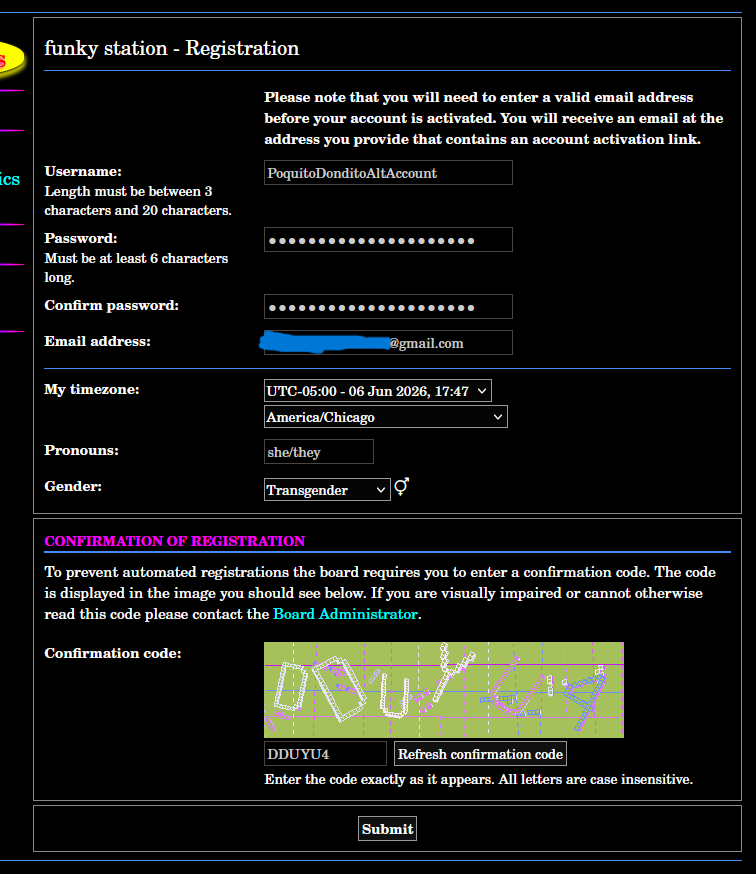
- 3
- Screenshot 2026-06-06 175018.png (106.02 KiB) Viewed 12725 times
This is a notice to check your email, so go log into that.
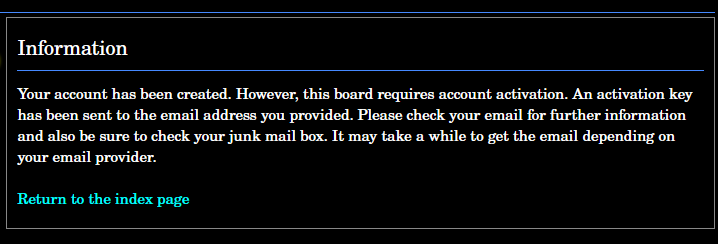
- 4
- Screenshot 2026-06-06 175125.png (27.89 KiB) Viewed 12725 times
You should see an email from tay (tay@funkystation.org).

- 5
- Screenshot 2026-06-06 175201.png (4.97 KiB) Viewed 12725 times
Go ahead and click on the link to confirm your email.
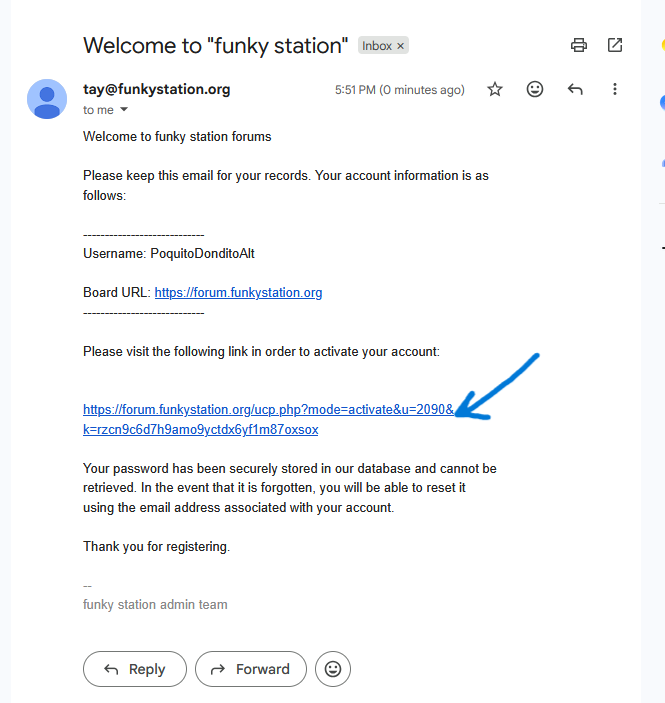
- 6
- Screenshot 2026-06-06 175207.png (51.98 KiB) Viewed 12725 times
You should get a confirmation screen! You have now created your username and password for your forum account.

- 7
- Screenshot 2026-06-06 175215.png (9.69 KiB) Viewed 12725 times
Hope this was helpful, if you want to play on a Funky authenticated server, submit an AUTH ticket with the server you want to play on, and head on over to the after authentication post. If you have any questions feel free to reach out to admins and we will do our best to help you.
Now for whitelisting on Funky:
Whitelisting for Funky (Do after above step):
► Show Spoiler
Go back to the main page and click on whitelist.
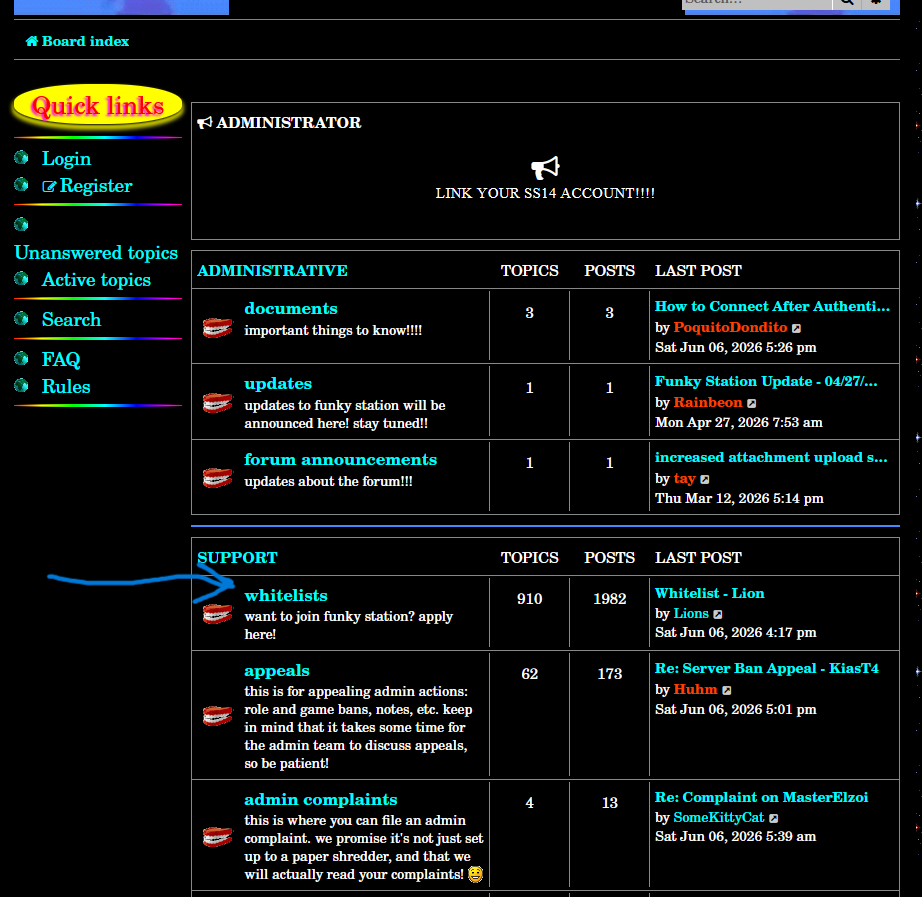
- 8
- Screenshot 2026-06-06 175232.png (165.17 KiB) Viewed 12725 times
Click on template.
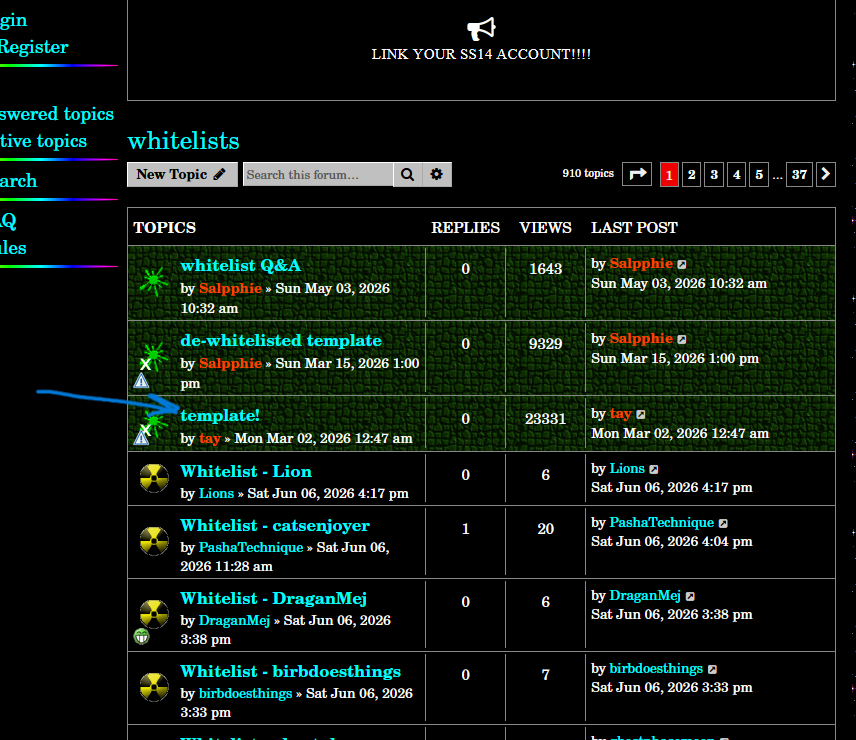
- 9
- Screenshot 2026-06-06 175250.png (206.99 KiB) Viewed 12725 times
Click "SELECT ALL" and copy to your clipboard.
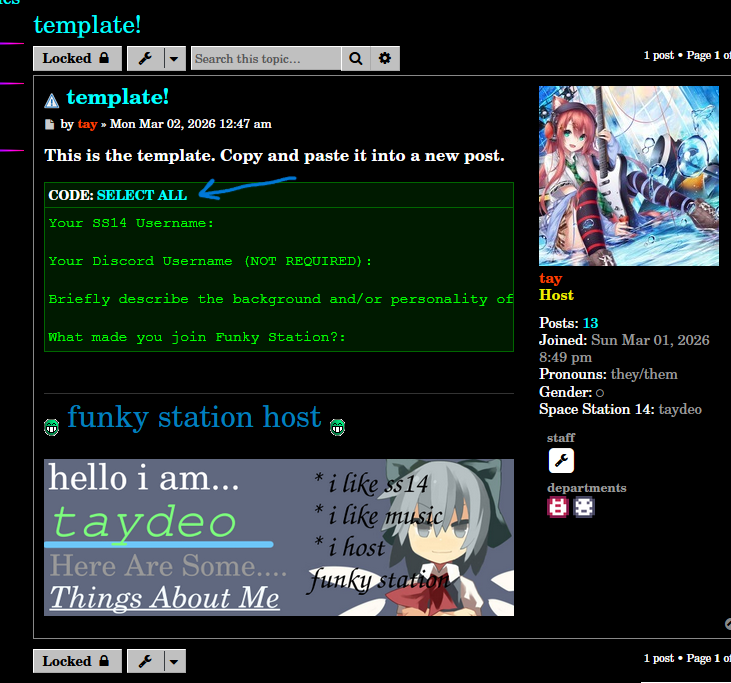
- 10
- Screenshot 2026-06-06 175416.png (254.62 KiB) Viewed 12725 times
Go back out, and click on the "New Topic" button, paste the template into the body of your post, and fill it out. After you're finished, feel free to post and we'll get to you when we can!
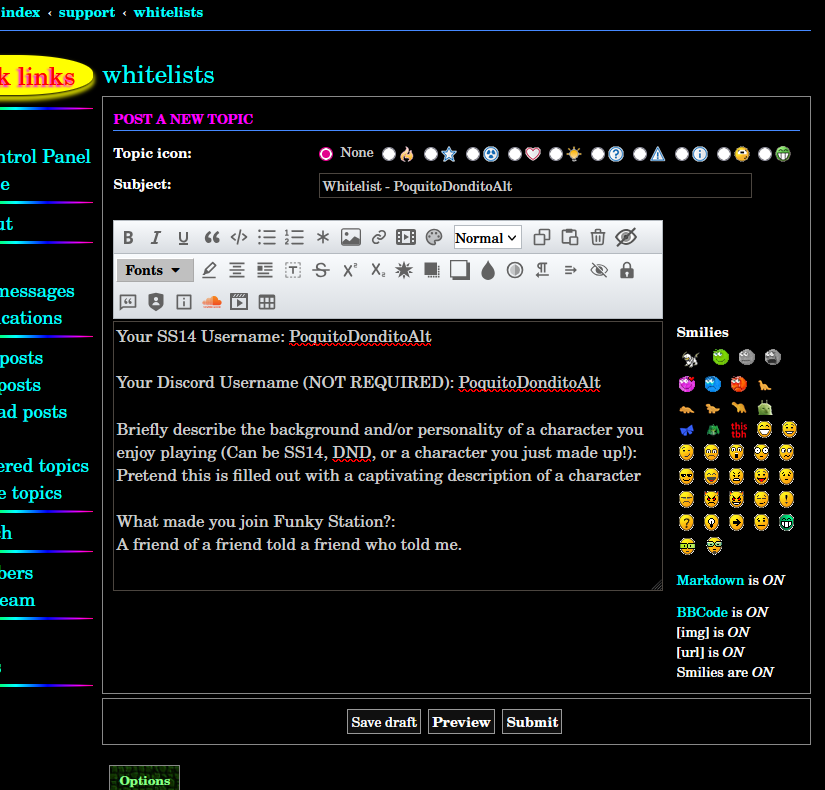
- 11
- Screenshot 2026-06-06 175642.png (151.92 KiB) Viewed 12725 times
We hope you enjoy your time on Funky!